Organizations

s&box organization

sbox Field Guide

fieldguide

No summary provided.

View full analyticsPlayers · portfolio · reach · activity history
sbox Field Guide logo

About

Playable things from the s&box Field Guide bench: games and developer baselines built by one person, shaped by the same engine gotchas documented at sboxguide.dev.


The Field Kits are s&box libraries pulled straight out of games I actually shipped: vehicle physics, accessory placement, onboarding tips, and a day/night cycle, with more on the bench. Install one from the Library Manager and the source lands in your project as plain C#, readable and yours. Every kit is MIT, self-contained, and ships a demo scene you can play before you wire anything.

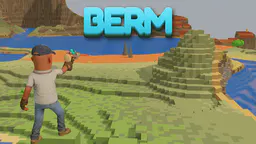
Berm is the live game: a voxel co-op world-building game. Sculpt a world with your friends, then grab a paint marker and redecorate them. Terrain generation, live reshaping, six traversal gadgets, mini games including paintball, and terrain export.

Guides, kit pages, and changelogs live at sboxguide.dev.

Playing with a kit, or hit something weird? Join the Discord and say so; feedback from real projects is what shapes the next release.

Games by sbox Field Guide

View all 1 →
01
Bermfieldguide.world_builderSculpt a whole world with sliders and a brush — then launch a server and explore it with friends.
0playing now
37favorites
30upvotes
92%Terry score

Libraries by sbox Field Guide

View all 4 →
01
Vehicle Physics Kitfieldguide.vehiclephysicsRaycast-wheel vehicle physics for s&box: slip-curve tires, full drivetrain, assists and a chase camera. No art required.
3favorites
3upvotes
36%Terry score
02
Tips Kitfieldguide.tipsWrite onboarding tips inside your running game: live preview, test fire, and tips that retire when the player does the thing.
2favorites
2upvotes
43%Terry score
03
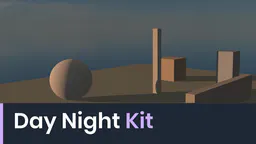
Day Night Kitfieldguide.daynightA host-authoritative day/night clock for s&box with pure sky grading and deterministic per-day weather.
1favorites
2upvotes
43%Terry score
04
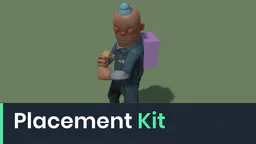
Placement Kitfieldguide.placementFit accessories to your character with live sliders, then paste the baked offsets into your code.
1favorites
1upvotes
27%Terry score