Библиотеки

список библиотек s&box

Screen Shot Library

nolankicks.screenshotlibrary

A library that allows screenshotting of a scene

Описание

About Screen Shot Library

Take screenshots of your scenes!

Steps:

1. Create a new project.

2. Create a new scene.

3. (On the top toolbar) View-> Library Manager, find Screen Shot Library, press install.

4. Restart your game. (s&box needs this so it can see the library)

5. Create a folder titled: "screenshots" in your project. (This is where the screen shots will be saved)

6. Start your scene.

7. Press the Camera icon on the left tool bar.

8. Set your screenshot resolution and press play (Note: Your game can stall on higher resolutions, this is normal, just wait)

9. View your screenshots in the folder you created earlier.

If you wish to update your library to the latest version open the library manager again, selected installed, click on the Screen Shot Library and change the file to the newest version (Note: you may need to restart after this)

You must press play to be able to take a screenshot.

Video Tutorial on how to install:

https://youtu.be/IQ4CQMU823I

01
Миниатюра Opium Postprocess
Opium Postprocess nolankicks.opiumpostprocess

A Retro Console Shader

+0 24 ч
5избранное
5положительные оценки
65%Terry Score
02
Миниатюра No Clip Library
No Clip Library nolankicks.noclip

No summary provided.

+0 24 ч
3избранное
0положительные оценки
--Terry Score
03
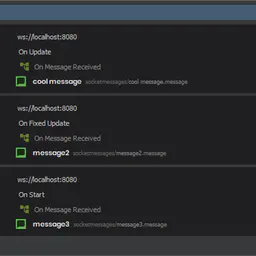
Миниатюра Websocket Tools
Websocket Tools nolankicks.websocket_tools

A library that is designed to help simplify the process of interacting with Websockets

+0 24 ч
2избранное
2положительные оценки
43%Terry Score
04
Миниатюра Kicks' Component Collection
Kicks' Component Collection nolankicks.kickscomponents

No summary provided.

+0 24 ч
1избранное
0положительные оценки
--Terry Score
05
Миниатюра Scene Loading Utility
Scene Loading Utility nolankicks.sceneloadingutility

No summary provided.

+0 24 ч
0избранное
0положительные оценки
--Terry Score