Описание
3D2D Textscreens Revamped for s&box Sandbox
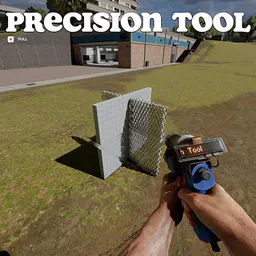
Create signs, labels, and notices directly in the world. Find 3D2D Textscreen under Tools → Render in Sandbox’s spawn and context menus.Add up to eight lines of text and customize the font, size, color, alignment, outline thickness, and outline color. Enable a drop shadow or switch to pixelated rendering. Attach screens to moving props, move them with the Physgun, or copy them with Sandbox’s Duplicator.
- Left-click to place a screen or update one of yours.
- Right-click to copy an existing screen’s settings.
- Reload to remove one of your screens.
Screens stay synchronized in multiplayer, including for players who join after placement.
Players can adjust their own render distance and visible screen limit, while hosts control placement quotas, text length, and tool action limits.
Server settings
The host can change these limits in the tool’s Display tab. They apply to everyone in the current session and reset when a new session starts.- Max screens per player (default: 32). Maximum number of screens each player can have at once. The menu slider goes from 0 to 128. Set it to 0 to block new placements.
- Character limit (default: 512). Maximum text length when placing or editing a screen. Range: 1–512.
- Action burst limit (default: 10). Maximum number of tool actions a player can take in quick succession. The allowance replenishes at one action per second. Range: 0–100. Set it to 0 to disable placement, editing, and removal through this tool.
Player display settings
- Render distance (default: 4000 units). Set it to 0 to hide all text screens.
- Max visible screens (default: 128). Caps the number of screens drawn, keeping the nearest ones. Set it to 0 to remove the cap within render distance.
- Show selection bounds (off by default). Displays the selection bounds of visible screens.
Console variables
sbox_maxrevamped_textscreens 32
textscreen_revamped_charlimit 512
textscreen_revamped_ratelimit 10
Inspired by Mikey’s 3D2D Textscreens Revamped for Garry’s Mod.